
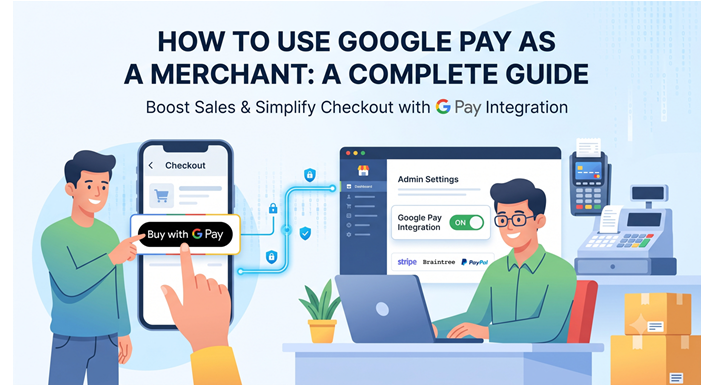
If you are looking to streamline your checkout process and boost conversion rates, allowing customers to pay with their Google accounts is one of the smartest moves you can make. With millions of users relying on Google to store their card details securely, adding a "Buy with G Pay" button removes friction from the buying journey.
But if you are wondering how to use Google as a payment gateway, there is a crucial technical distinction you need to understand first.
The Big Misconception: Digital Wallet vs. Payment Gateway
The most important thing to know before you start your integration is that Google Pay is not a payment gateway; it is a digital wallet. Google does not process the actual credit card transaction, nor does it deposit the funds into your merchant bank account. Instead, it acts as a highly secure middleman.
| Feature | Digital Wallet (Google Pay) | Payment Gateway (Stripe, Razorpay) |
| Primary Function | Securely stores customer card details and shipping info. | Communicates with banks to authorize and process the actual charge. |
| Security | Creates an encrypted token (tokenization) to hide real card numbers. | Receives the token and executes the transaction securely. |
| Merchant Account | Does not hold your business funds. | Holds and transfers funds to your business bank account. |
To accept Google Pay, you still need an underlying payment gateway. Google simply tokenizes the customer's payment data and hands it off to your existing processor to finish the job.
Method 1: The No-Code Way (Through Existing Providers)
If you are already using a modern e-commerce platform or a popular payment service provider (PSP), adding Google Pay is incredibly easy and usually requires zero coding.
-
E-commerce Platforms: If your store is built on Shopify, BigCommerce, or Wix, Google Pay is likely already baked into your platform’s native payment settings. For example, if you use Shopify Payments, you can enable Google Pay by simply checking a box in your admin dashboard.
-
Payment Gateways: Major gateways like Stripe, Braintree, Adyen, and Checkout.com have out-of-the-box support for Google Pay. Once activated in your gateway's dashboard, the gateway will automatically detect if a shopper has a compatible device and display the Google Pay button at checkout.
Method 2: The Developer Way (Google Pay API Integration)
If you have a custom-built website or mobile app, you will need to integrate the Google Pay API manually. This method gives you total control over the checkout experience.
-
Register with Google: Create an account on the Google Pay and Wallet Console to get your unique merchant ID.
-
Load the JavaScript Library: Add the Google Pay API script to your frontend.
-
Configure Payment Methods: Write a script defining which card networks (e.g., Visa, Mastercard) and underlying payment gateways you support.
-
Render the Button: Use the API to display the standard "Buy with G Pay" button on your site.
-
Process the Token: Once the user authorizes the payment, Google will send your backend an encrypted payment token. Your server must then pass this token to your payment gateway (like Stripe or Braintree) to finalize the charge.
How Much Does Google Pay Cost for Merchants?
One of the biggest advantages of integrating Google Pay is the cost.
Google charges absolutely zero extra fees for merchants to accept Google Pay. You will not pay any setup fees, monthly fees, or per-transaction fees to Google. You are only responsible for the standard processing fees charged by your underlying payment gateway (typically around 2.9% + $0.30 per transaction, depending on your provider).
The Google Play Billing Exception for Android Apps
There is one major exception to the rules above. If you are building an Android app and selling digital goods or services—such as app subscriptions, in-game currency, or premium features—you are strictly prohibited from using the standard Google Pay API.
Under Google’s developer policies, digital goods sold within an Android app must be processed through the Google Play Billing system. Unlike standard Google Pay, Google takes a percentage cut (usually 15% to 30%) of transactions processed through Play Billing.
Note: If your Android app sells physical goods (like clothing, food delivery, or electronics), you can use the standard, fee-free Google Pay API.
Final Thoughts
Integrating Google Pay into your e-commerce checkout is a proven way to reduce cart abandonment. By understanding that Google acts as a secure digital wallet rather than a standalone gateway, you can quickly configure it through your existing payment processor or utilize the Google Pay API for a seamless, secure, and fast customer experience.